As someone who’s spent over 15 years immersed in the world of walkie talkies, from equipping rescue teams to coordinating large events, I’ve seen countless models come and go. But every now and then, a device emerges that truly hits the sweet spot between functionality, ease of use, and sheer fun. The Retevis RT628 walkie talkie is precisely one of those gems. It’s a fantastic communication tool that not only sparks adventure in children but also serves as a reliable, straightforward device for adults needing basic, close-range communication.
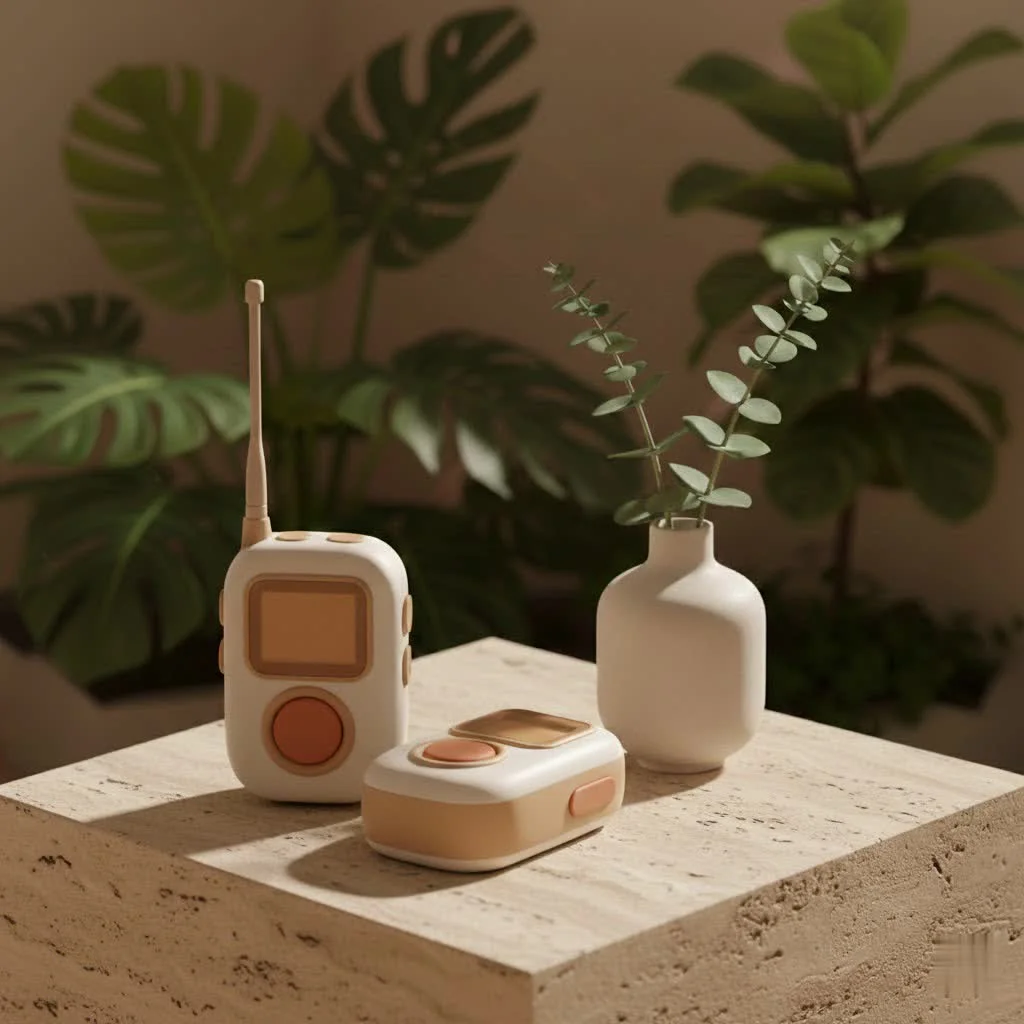
Here at Oqdos.com, we believe in empowering our readers with clear, practical knowledge. So, let’s dive deep into what makes the Retevis RT628 walkie talkies a standout choice, exploring its features, capabilities, and how you can get the most out of them. For more reviews guides on this site.
What Makes the Retevis RT628 Stand Out?
The Retevis RT628 walkie talkies have earned a reputation for being much more than just a toy. They bridge the gap between simple play and practical utility, offering robust features in a user-friendly package.
Designed for Young Adventurers (and Adults Too!)
The first thing you’ll notice about the Retevis RT628 is its thoughtful design. These units are remarkably compact and lightweight, often weighing around 3.2 ounces (90 grams) each, making them perfectly sized for smaller hands while remaining comfortable for adults to hold. They boast a durable, scratch-resistant plastic body with an ergonomic shape and rounded corners. The textured ribbing on the sides also ensures a secure grip, preventing accidental slips, which is a big plus whether you’re on a family camping trip or managing a busy event.
Available in a variety of colors like red, black, white, and camouflage, these walkie talkies appeal to a broad audience, allowing for a touch of personalization or easy identification.
Crystal-Clear Communication, Simplified
Despite their accessible design, the Retevis RT628 walkie talkies deliver impressive communication clarity. They operate on the UHF frequency band and, in the US, typically utilize 22 FRS (Family Radio Service) channels, which are license-free and ideal for personal use. The 22 channels offer plenty of options to find a clear line of communication, keeping you away from interference.
A standout feature is the auto squelch function, which automatically reduces background noise, ensuring that voices come through loud and clear. This is particularly beneficial in noisy outdoor environments, making conversations easier to understand. The speakers are generally loud and clear, and the ability to connect multiple receivers to the same channel means that one-to-one or one-to-many conversations are effortless.
Impressive Features for Its Size
|
Our Picks for the Best Walkie Talkies in 2026
As an Amazon Associate I earn from qualifying purchases.
|
||
| Num | Product | Action |
|---|---|---|
| 1 | LỖI |

|
| 2 | Retevis RT68 Walkie Talkies with Earpiece, Portable FRS Two-Way Radios Rechargeable, with 6 Way Multi Unit Charger, Hands Free, Long Range, Rugged 2 Way Radios 6 Pack for Adults School Church |
|
| 3 | pxton Walkie Talkies Rechargeable Long Range Two-Way Radios with Earpieces,2-Way Radios UHF Handheld Transceiver Walky Talky with Flashlight Li-ion Battery and Charger(2 Pack) |
|
| 4 | Walkie Talkies, MOICO Long Range Walkie Talkies for Adults with 22 FRS Channels, Family Walkie Talkie with LED Flashlight VOX LCD Display for Hiking Camping Trip (Orange 2 Pack) |
|
| 5 | Retevis RT22 Two Way Radio Long Range Rechargeable,Portable 2 Way Radio, USB-C Charging, Handsfree Walkie Talkies for Adults Cruise Hiking Camping(4 Pack) |
|
| 6 | Retevis RB48 Heavy Duty Waterproof Walkie Talkies, Long Range Rechargeable Two Way Radios, Advanced Triple Proof, Vibration Reminder, for Warehousing Construction Contractor(10 Pack) |
|
| 7 | Wishouse Walkie Talkies Rechargeable for Kids Adults Long Range,Xmas Birthday Gift for Boys Girls 3 4 5 6 7 8 9 10 Year Old,Hiking Camping Gear Games Ideas Toys with Flashlight,VOX,Easy to Use 4 Pack |
|
| 8 | AILOCITAG Kids Video Walkie Talkies, 2 Pack Rechargeable HD Video Walkie Talkie, No WiFi Needed, 1640 ft Outdoor Range, Secure 1-to-1 Channel, 4 Voice Effects for Boys Girls Ages 3–12 |
|
| 9 | Retevis RB48 Waterproof Walkie Talkies, Heavy Duty Two Way Radio, Advanced Triple Proof, Vibration Call, USB-C, SOS,2000mAh, NOAA, 2 Way Radio(2 Pack) Yellow |
|
| 10 | Retevis RT22 Walkie Talkies Rechargeable Hands Free 2 Way Radios Two-Way Radio(6 Pack) with 6 Way Multi Gang Charger |
|
The Retevis RT628 walkie talkies are packed with features that enhance user experience:
- VOX Function: This voice-activated transmission feature allows for hands-free communication. Simply speak into the microphone, and the radio transmits, which is incredibly useful when your hands are full, perhaps while hiking or setting up camp.
- Keypad Lock: For younger users, or even adults who want to prevent accidental setting changes, the keypad lock is a godsend. It ensures that once a channel and settings are chosen, they stay that way.
- LCD Display with Backlight: A small, easy-to-read LCD provides crucial information at a glance, including battery level, current channel, and signal strength. The blue backlight (on some models) ensures visibility in low-light conditions.
- Call Alert Tone: A customizable call alert tone notifies you of incoming calls, ensuring you don’t miss important messages.
- Battery Status Indicator: Always know how much power you have left, so you’re never caught off guard.
- Removable Belt Clip: Each unit typically comes with a belt clip, allowing for convenient hands-free carrying.
- External Microphone/Headset Support: For those who prefer private listening or hands-free operation in noisy settings, the 2.5mm 1-pin headset jack is a welcome addition.
“The RT628’s blend of user-friendly features and robust build quality at an affordable price point makes it an ideal entry into two-way radio communication for anyone, from a family planning a day out to a small team needing reliable, short-range contact,” says Alex Chen, a Senior Communications Specialist at Oqdos.com.
Beyond the Basics: Understanding Retevis RT628 Specifications
To truly appreciate the capabilities of the Retevis RT628 walkie talkies, it’s important to understand the technical specifications that underpin their performance.
Range and Power: What to Expect
The Retevis RT628 typically operates with a power output of under 0.5 watts. While this might seem modest, it’s a standard power level for license-free FRS radios, designed for efficient short-to-medium range communication.
Manufacturers often quote a maximum range of 2 to 4 kilometers (approximately 1.2 to 2.5 miles), or up to 8000 feet (about 2.4 kilometers). However, it’s crucial to understand that these figures represent optimal conditions, such as open line-of-sight with no obstructions. In real-world scenarios, factors like buildings, dense foliage, hills, and even weather can significantly reduce the effective range. For instance, in an urban environment with many buildings, the range will be considerably shorter than across an open field. Expect a realistic range of half a mile to a mile in most varied outdoor settings.
Powering Your Adventures: Battery Life and Options
The Retevis RT628 walkie talkies are conveniently powered by three AA batteries per unit (not included in the standard package). This common battery type means you can easily find replacements almost anywhere, which is a major advantage during extended outings.
For eco-conscious users or those who prefer long-term savings, the RT628 is fully compatible with rechargeable AA batteries. Retevis also offers proprietary rechargeable battery packs that can be used as an alternative, offering runtimes of 8 to 72 hours, depending on usage intensity and conditions. With occasional use, you can expect batteries to last for several days, while intensive use might require a change every two days.
The Technical Rundown
Here’s a quick overview of key Retevis RT628 specifications:
| Feature | Specification | Source |
|---|---|---|
| Brand | Retevis | |
| Frequency Range (US) | 462-467 MHz (FRS) | |
| Frequency Range (EU) | 446 MHz (PMR446) | |
| Output Power | <0.5W (0.5 watts) | |
| Channels | 22 FRS Channels (US), 8-16 PMR Channels (EU) | |
| Battery Type | 3 x AA (per radio) / Retevis Battery Packs | |
| Dimensions | Approx. 6.2 x 2.1 x 1.1 inches | |
| Weight (per radio) | Approx. 0.20 lbs (3.2 oz / 90g) | |
| Waterproof | No | |
| License Required | No (for FRS in US) | |
| Headset Jack | 2.5mm 1-pin |
Getting Started with Your Retevis RT628: A Quick-Start Guide
One of the greatest appeals of the Retevis RT628 walkie talkies is their intuitive operation. You don’t need to be a radio expert to get them up and running.
Unboxing and First Steps
When you first open the box, you’ll typically find two Retevis RT628 walkie talkies and an English user manual, along with belt clips. Remember, the 3 AA batteries required for each device are usually sold separately, so make sure to have them on hand.
- Install Batteries: With the back of the radio facing you, locate the battery compartment. Open it, insert three fresh AA batteries, ensuring correct polarity, and then securely close the compartment.
- Attach Belt Clip: If desired, slide the included belt clip onto the back of the radio.
Master Basic Operations
These simple steps will get you communicating in no time:
- Turning On/Off: Press and hold the power button (often labeled with a power icon) until the LCD screen illuminates or turns off.
- Adjusting Volume: Use the dedicated up (⬆️) and down (⬇️) buttons to increase or decrease the speaker volume. The volume level (typically 1-8) will be shown on the display.
- Changing Channels: With the radio on, press the “MENU” button once. The current channel number will flash on the LCD. Use the up (⬆️) or down (⬇️) buttons to select your desired channel. To confirm and save, press the “PTT” (Push-to-Talk) button. Ensure all radios you wish to communicate with are set to the exact same channel.
- Using the PTT Button: To transmit your voice, simply press and hold the large “PTT” button, usually located on the side of the device. Speak clearly into the microphone (which should be about 5 cm from your mouth), and release the button when you’re done speaking to listen for a reply.
Advanced Tips for Better Communication
Once you’re comfortable with the basics, you can leverage more advanced features:
- Setting Interference Eliminator Codes (CTCSS/DCS): These codes help minimize interference from other users on the same channel by filtering out unwanted transmissions. To set a code, press the “MENU” button twice until the code flashes. Use the up (⬆️) or down (⬇️) buttons to select a code (typically 0-121). Press “PTT” to save. For broader communication, set the code to ‘0’ to talk with radios that don’t use a specific code.
- Activating VOX for Hands-Free Use: To enable VOX, press the PTT button and the power/scan button simultaneously, then turn on the radio. The VOX icon will appear on the display. Speak into the microphone to transmit. To turn VOX off, simply press the PTT button. There might be a slight delay between when you start speaking and when transmission begins.
- Using the Keypad Lock: To lock the keypad and prevent accidental changes, find the dedicated lock button (sometimes combined with the menu button). Press and hold it until a lock icon appears on the display. Repeat the process to unlock.
- Adjusting Squelch Level: The squelch feature filters out weak signals and background noise. To adjust it, press the “MENU” button multiple times (usually six or seven) until “SL” is displayed. Use the up (⬆️) or down (⬇️) buttons to select the sensitivity level (01 for high sensitivity, 06 for low sensitivity). A higher sensitivity (lower number) will pick up weaker signals, but also more noise, while a lower sensitivity (higher number) filters out more noise but might miss faint transmissions.
Who Benefits Most from Retevis RT628 Walkie Talkies?
The versatility of the Retevis RT628 walkie talkies makes them suitable for a surprisingly wide range of users and scenarios.
Families and Kids
Without a doubt, the Retevis RT628 is a favorite among families. It’s often touted as an excellent gift for children aged 3 or 4 and up, encouraging outdoor play and imaginative adventures.
- Outdoor Play: Kids can play secret agents, superheroes, or simply stay connected while exploring the backyard or a local park.
- Camping and Hiking: Perfect for keeping tabs on children exploring nearby or for short-range communication between family members within a campsite.
- Road Trips: A great way for kids in separate cars (or even different rows in a large vehicle) to communicate without shouting or relying on data.
Casual Adult Use
While often marketed to children, the RT628’s simplicity and reliability make it a solid choice for casual adult use where extensive range or advanced features aren’t critical.
- Short-Range Communication: Ideal for quick chats around the house, yard work, or coordinating tasks within a small office or warehouse.
- Event Coordination: For small teams at events, festivals, or family gatherings, they offer a straightforward way to stay in touch.
- Travel: Handy for communication within resorts, cruise ships, or theme parks where cell service might be spotty or costly.
Education and Engagement
These walkie talkies can also serve as an engaging tool for teaching basic principles of radio communication and fostering independence. They provide a safe and controlled way for children to experience personal communication freedom.
Maximizing Your Retevis RT628 Experience: Tips from an Expert
With over a decade and a half in the field, I’ve picked up a few tricks that can help you get the absolute best out of your Retevis RT628 walkie talkies:
- Mind Your Positioning: For the clearest transmissions and receptions, always hold the walkie talkie vertically with the antenna pointing upwards. Keep the microphone about 2-3 inches (5-10 cm) from your mouth and speak in a normal, clear voice. This optimizes signal propagation and voice capture.
- Strategic Battery Management: While AA batteries are convenient, invest in good quality rechargeable AA batteries and a reliable charger. This saves money in the long run and is more environmentally friendly. Always carry spare charged batteries, especially on longer outings.
- Understand Range Limitations: Don’t expect these budget-friendly radios to perform like high-powered commercial units. Be realistic about their range, especially in obstructed environments. They excel at close-to-medium range communication, so plan your activities accordingly.
- Consider Accessories: If you’re using the walkie talkies in noisy environments or prefer discreet communication, a simple 2.5mm headset can make a world of difference. It improves audio clarity and keeps your hands free.
- Utilize the Key Lock: Seriously, use it! It’s a simple feature that prevents endless frustration, especially with eager young users who might accidentally change channels.
Frequently Asked Questions (FAQ)
What type of batteries does the Retevis RT628 use?
The Retevis RT628 walkie talkies each require three AA batteries, which are typically not included in the package. You can also use rechargeable AA batteries or compatible Retevis battery packs for extended use.
How do I change the channel on my Retevis RT628?
To change the channel, turn the radio on, press the “MENU” button once, use the up (⬆️) or down (⬇️) buttons to select your desired channel (1-22 for FRS), and then press the “PTT” button to confirm and save the setting.
Can adults use the Retevis RT628?
Yes, absolutely! While often marketed towards children, the Retevis RT628 walkie talkies are perfectly suitable for adults who need simple, reliable, short-range communication for activities like yard work, small events, or general family coordination.
Is the Retevis RT628 waterproof?
No, the Retevis RT628 walkie talkies are not waterproof. They have a durable plastic body but should be kept away from water and excessive moisture to prevent damage.
What is the maximum range of the Retevis RT628?
The maximum advertised range for the Retevis RT628 is typically between 2 to 4 kilometers (1.2 to 2.5 miles) under optimal, unobstructed conditions. However, in real-world environments with obstacles, the practical range will be significantly shorter, often around half a mile to a mile.
Does the RT628 have a VOX function?
Yes, the Retevis RT628 features a Voice Activation (VOX) function, allowing for hands-free communication. You can activate it by pressing the PTT and power/scan buttons simultaneously when turning on the radio, then speak into the microphone to transmit.
Are licenses required for the Retevis RT628?
No, if you are using the FRS (Family Radio Service) version of the Retevis RT628 in the United States, no license is required. These radios are designed for license-free personal use.
Conclusion
The Retevis RT628 walkie talkies stand as a testament to the idea that effective communication doesn’t have to be complicated or expensive. Their blend of kid-friendly design, essential features like VOX and keypad lock, and robust construction makes them an outstanding choice for families, casual users, and anyone looking for a reliable, no-fuss two-way radio. As a long-time walkie talkie enthusiast and content creator for Oqdos.com, I can confidently say that the RT628 offers incredible value, fostering connection and fun in countless scenarios. So, grab a pair, power them up, and embark on your next adventure with confidence, knowing you’re always just a push of a button away from staying in touch.
Get our weekly buyer guide
Practical specs, not advice. Unsubscribe anytime.